Odoo app 02
MRP 3D
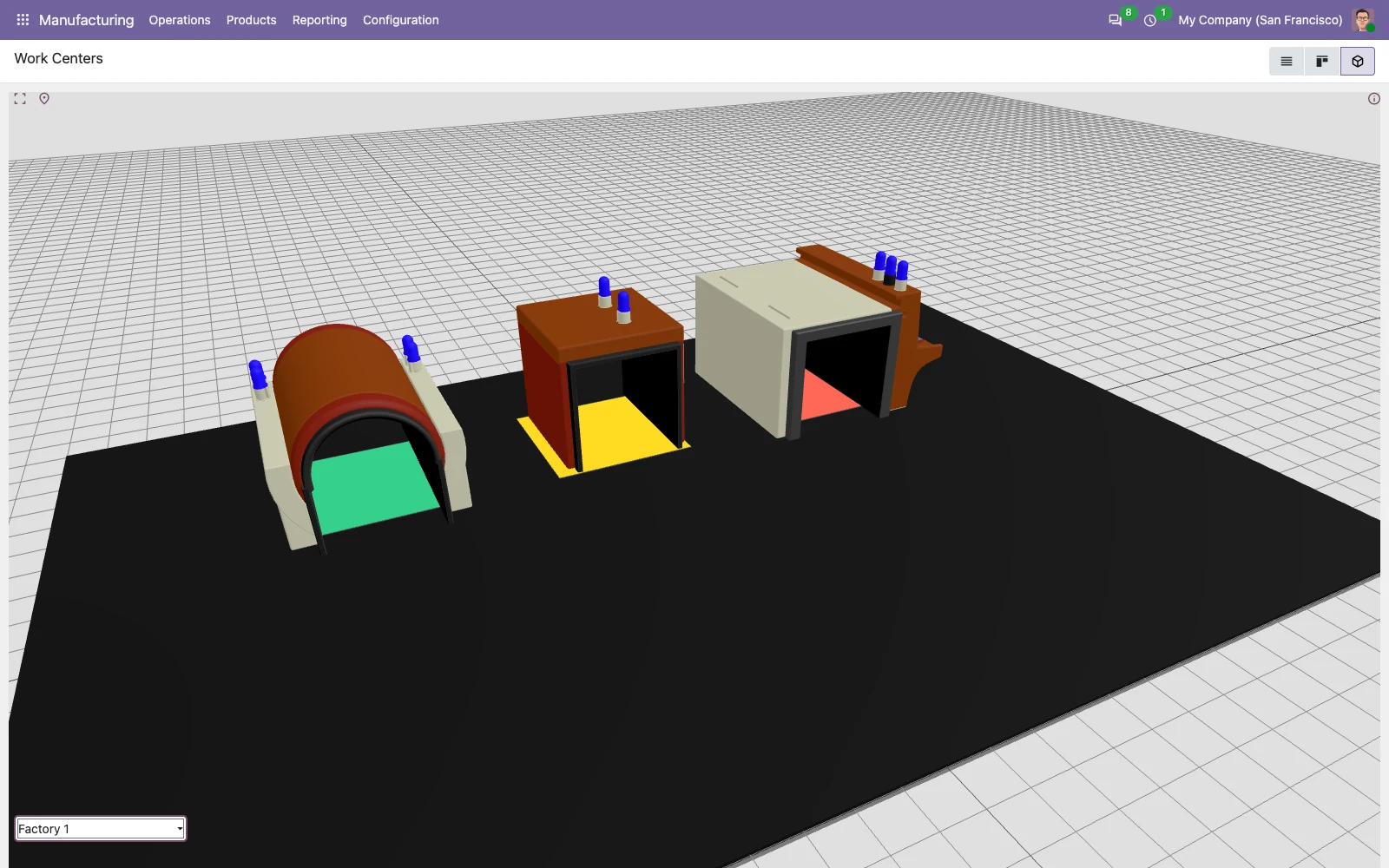
The shop floor at a glance: green running, yellow stopped, red blocked.
What it does
Every work center is where it stands in the factory, with the color of what it is doing right now. A bottleneck shows up before anyone comes to tell you about it.
The floor plan is the real one: you place the work centers once and they stay there.
The color comes from the state of the work center itself, not from someone keeping a board up to date. Running is green, idle is yellow, blocked is red.
With more than one plant, you move between them from the selector at the bottom.
First you place them, then you watch them
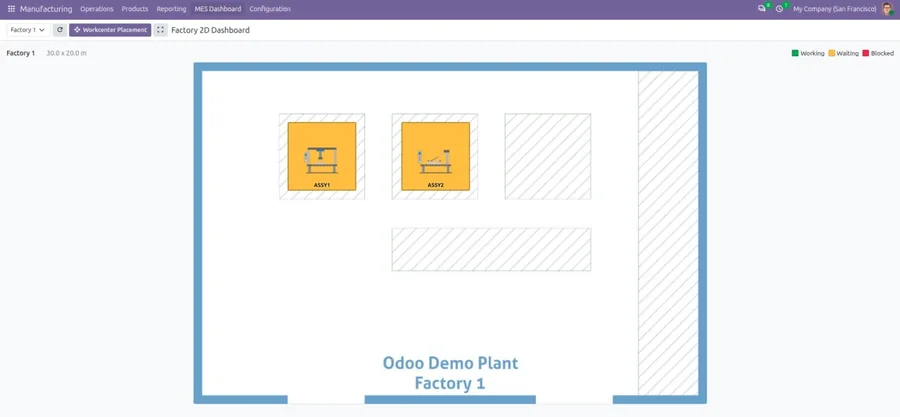
The work centers go onto the plan once, on a 2D dashboard. From then on the 3D view draws them where they really are.
See it moving
MRP 3D, our own demo
The talk on the Odoo channel
Plays from YouTube
Download MRP 3D
It is published on the Odoo App Store under AGPL. You can read the code before you install it, and keep it whatever happens afterwards.
Or tell us what you actually need
A version that is not published yet, a production that has to behave in another way, a piece that has to talk to the software you already have. Tell us and we will say whether it can be done.